Free blueprint · 6 parts · 30-day action plan
The LinkedIn intent signals playbook: how I got 4x more interested leads
The exact targeting strategy I used to double my LinkedIn reply rate and quadruple the percentage of connections interested in what I sell. Which signals to watch, which to ignore, and how to turn them into customers.
Free. The whole guide is on this page; no email needed.
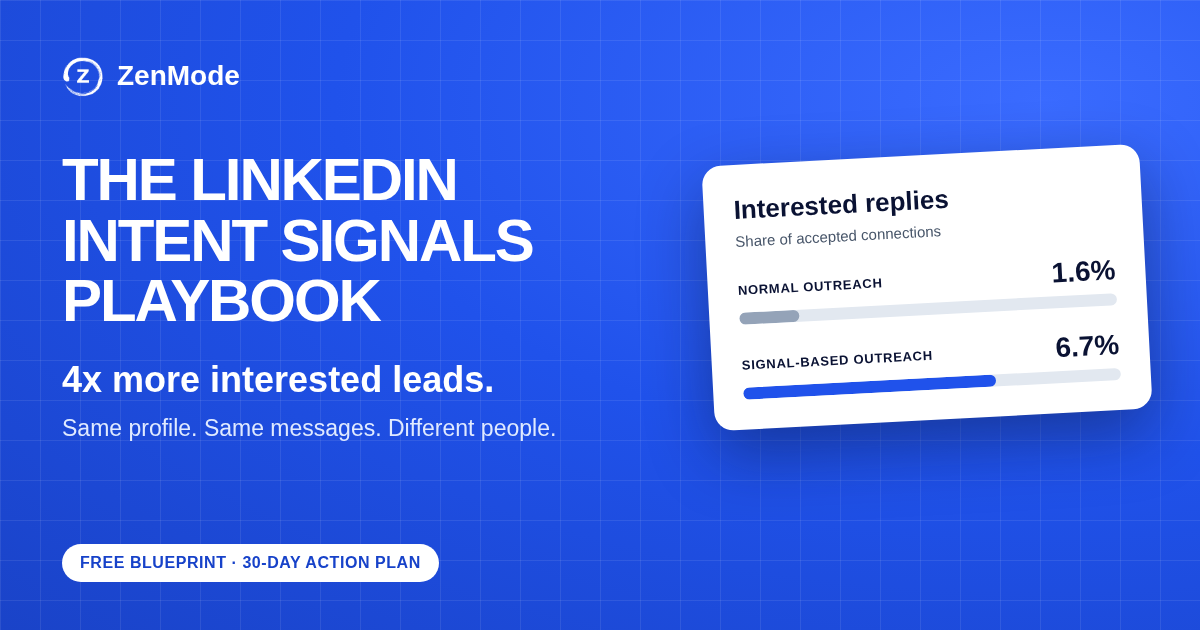

I'm Jonathan. I build ZenMode, and my own LinkedIn outreach runs through it. Over October and November 2026, I compared my normal outreach campaigns with campaigns targeting people showing intent signals. I didn’t change my profile or rewrite my messages. I changed who I contacted. Some of the signals I expected to work produced almost nothing. Two others significantly outperformed my normal campaigns. This is the playbook I’d follow if I were starting again today.
Questions? hello@zen-mode.io. I read everything.
Jonathan Lis · Founder, ZenMode
Who it's for
Founders, sales teams, agencies and anyone using LinkedIn to generate business who wants better conversations without increasing outreach volume.
You leave with
A competitor watchlist, an industry expert watchlist, a buying-intent keyword list, a prioritised prospecting strategy, an outreach sequence and a repeatable way to measure which signals generate opportunities.
What's inside
How it was put together
The results come from my own LinkedIn outreach campaigns in October and November 2026. I used the same profile and messages with different people. The exercises, AI prompts, outreach templates and 30-day plan are suggestions for running your own test. The product screenshots show sample data.
Part 1
Fit is not intent: what the data tells us
Same LinkedIn profile. Same outreach messages. Different people. Acceptance barely moved, but after connecting, people in my signal-based campaigns replied about twice as often and expressed interest about four times as often.
What changed after I connected
October and November 2026 · bars use a shared 0% to 40% scale
Connection acceptance Of invitations
Reply rate Of accepted connections · about 2×
Interested reply rate Of accepted connections · about 4×
Which signals produced interested replies?
Share of accepted connections · bars use a 0% to 10% scale. I’ve left the two near-zero results without bars because exact rates aren’t available.
Someone can accept because you work in their industry or because they’re happy to grow their network. Even “thanks for connecting” counts only as a reply. Interested replies are people who expressed interest in the offer. I track meetings and paying customers separately.
An ideal customer profile (ICP) tells me who could buy. A behavioural signal gives me a clue about who might be receptive right now. Say two sales directors at 40-person UK SaaS companies both fit my ICP. One also follows a competing tool or comments on a post about fixing outbound follow-ups. Both can buy. I’d review the second person first because there’s evidence the topic is on their mind.
Four things I’d do again
- Start with fit, then look for behaviour. The right job title can help get a request accepted. Look for something that makes a conversation timely.
- Start with competitor followers and industry expert engagement. Those were the strongest sources in my campaigns.
- Keep the list of sources short. Same-role and new-role leads were two of my largest sources. They were also two of my weakest. A full list can hide the people worth reviewing.
- Keep the first message simple. The wording stayed the same in my comparison. I’d spend my first hour improving the list.
This was one founder’s outreach on one profile. Treat it as a starting point and compare it with results from your own campaigns. I’ve also written up the original campaign results.
Write down your ideal customer
Fill the worksheet before you go looking for signals. I use it as a quick check when an interesting post makes someone look like a better fit than they really are.
Fill in
- Product
- What do I sell, in one sentence?
- Problem solved
- What awkward, expensive or slow job does it fix?
- Target buyer
- Who owns that problem? Write two or three titles and the level of responsibility.
- Industry
- Where does the problem come up often enough to pay to solve it?
- Company size
- What headcount range makes sense for the offer?
- Geography
- Where can I sell and serve customers?
- Exclusions
- Who should stay off the list even if they engage? Include existing customers and anyone who has opted out.
1. Define my ideal customer and signals
ICP worksheet
I sell [product] and help customers solve [problem]. My current buyers look like [buyers or examples]. Draft an ideal customer profile covering role, industry, company size, geography and exclusions. Ask for any details you need. Then list observable LinkedIn behaviours that could suggest the buyer is dealing with this problem. For each, explain what makes it relevant, what else the behaviour could mean and how I could check the context. Put generic business events such as funding, hiring and job changes in a separate list and say when they might actually matter.
Now do it in ZenMode
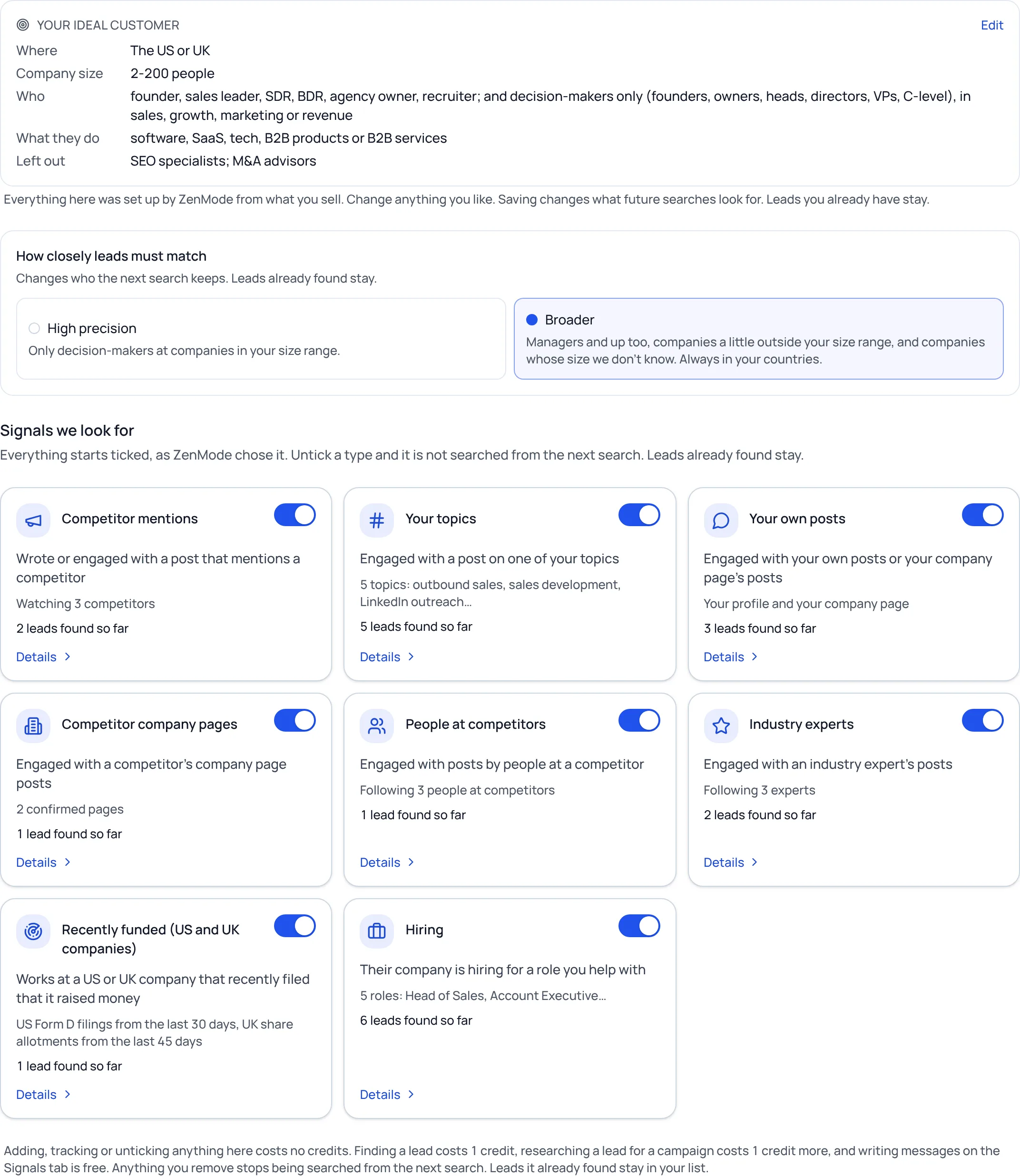
Open Signals → Sources. Under Your ideal customer, choose Edit and review the job titles, industries, company size, locations and exclusions. Save before searching. Then review the signal cards and keep the sources that match the behaviours you want to test.
Part 2
Find people following your competitors
8.1% of accepted connections who followed a competitor’s company page said they were interested. That was my strongest source. These people may already know the category, be comparing solutions or use a competing product. A follow alone tells you very little about whether someone is a customer.
- Write down five to ten direct competitors. Ask what customers might use instead of you today.
- Rank them by overlap with your buyers. A smaller specialist can be a better source than a household name.
- Find the official LinkedIn company page for each. Cross-check the website and company name before saving it.
- Configure competitor sources for the strongest pages. Record verified follows and visible post engagement separately. LinkedIn generally doesn’t let ordinary members see a competitor’s complete follower list. A reaction or comment is evidence of engagement.
- Check each person against your ICP. Look for the right team, role, company size and location.
- Leave out competitors’ employees, existing customers, students, recruiters and anyone else outside your criteria. Apply your opt-out list.
- Add qualified, verified followers to their own campaign. If you’re testing company-page engagers, give them a separate label so the comparison stays honest.
| Competitor | Website / LinkedIn page | Target buyer | Audience overlap / priority |
|---|---|---|---|
| First choice | Official site and verified page URL | Who buys from them? | Why might the same buyer choose us? |
| Next to test | Official site and verified page URL | Who buys from them? | What does this audience add? |
I ask about the problem directly. The person should be able to answer the question without knowing how I found them. There’s no need to bring up whom they follow.
2. Build my competitor watchlist
Competitor research
My business is [website]. We sell [product] to [ideal customer profile]. Identify 10 direct competitors whose potential customers could realistically become our customers. Rank them by audience relevance rather than company size. Include their website, LinkedIn company page URL, target customer and why their audience is relevant. Verify the URLs and don’t invent missing information.
3. Ask what they use today
Example outreach message
Hey [first name], curious whether you’re using anything at the moment for [problem or process]? We’ve built something specifically for [target audience] that helps with [outcome]. Thought it might be relevant.
Now do it in ZenMode
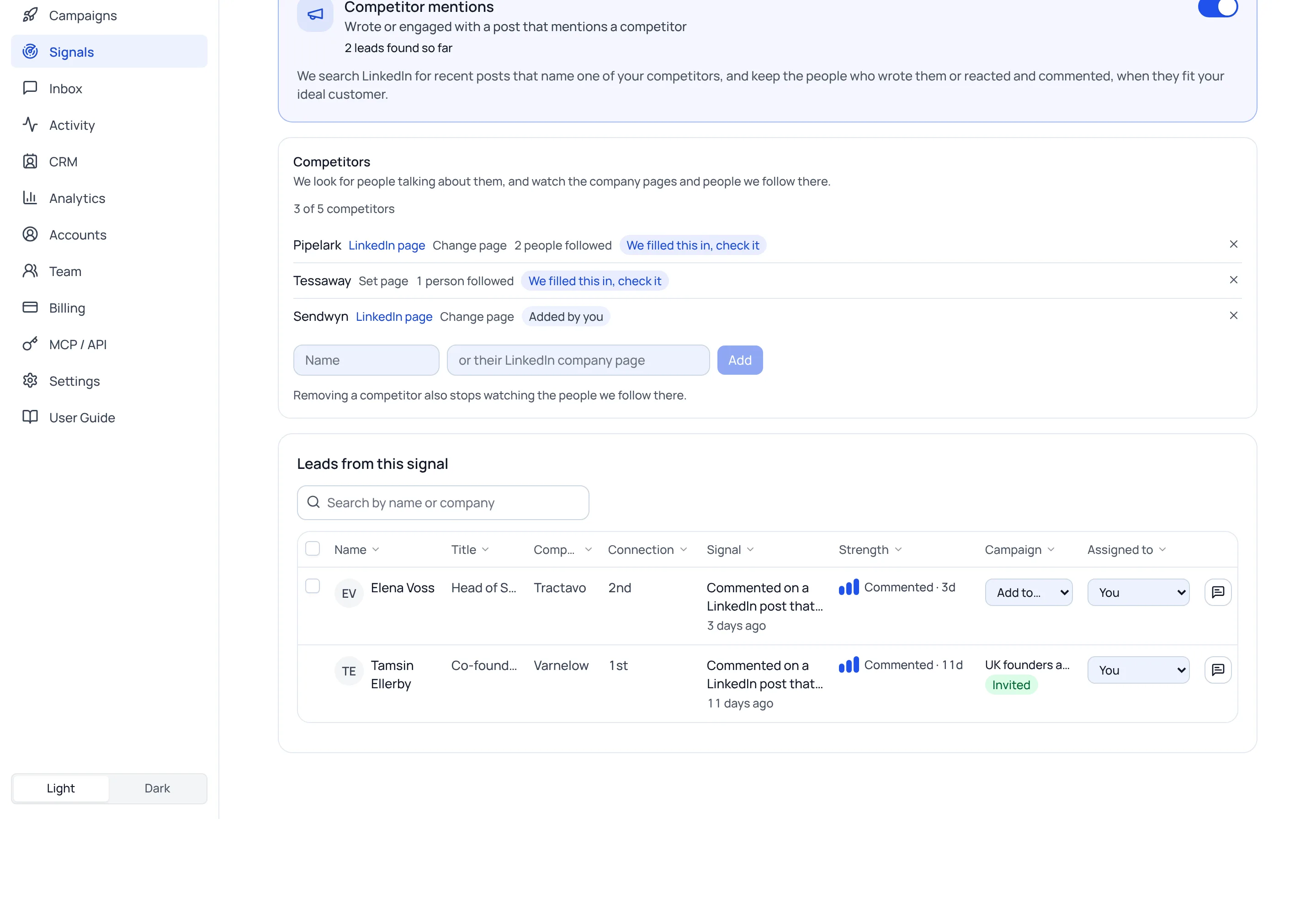
In Signals → Sources, open Competitor company pages → Details and add your best-fit competitors in Competitors. Add a name or LinkedIn company page. Use Set page or Change page to confirm the right page and check the source is on. ZenMode looks for reactions and comments on recent posts from confirmed pages. Keep those engagers separate from verified followers when measuring your results.
Part 3
Find people engaging with industry experts
6.1% of accepted connections who engaged with influencers in my space said they were interested. A comment on a tool comparison tells me more than a like on a big creator’s holiday photo. I check what the post was about and who engaged before I shortlist anyone.
- List experts who regularly talk about the work your product improves. I start with names customers mention and people who show up in relevant LinkedIn discussions.
- Read the comments on a few posts. Check whether potential buyers are taking part, or whether it’s mostly other creators and vendors.
- Save posts that discuss the problem, compare tools or ask how teams solve it. Record the link and date.
- Review recent comments and reactions first. Read the comment itself when there is one.
- Run the engagers through your ICP and exclusions. A vendor promoting their own tool is unlikely to be in the same situation as a buyer asking about one.
- Add qualified prospects to the industry expert engagement campaign, with the post link in your notes.
| Expert | LinkedIn profile | Relevant post / date | Buyer overlap / priority |
|---|---|---|---|
| First expert | Verified profile URL | Post about the problem and when it went up | Which buyers took part? |
| Second expert | Verified profile URL | Tool comparison or buying discussion | Is the audience distinct? |
Recency starting point to test. I’d review activity from the last 7 days first, then look back 8 to 30 days for detailed questions or comparisons. Beyond 30 days, I’d check for fresh evidence before reaching out. These windows are a suggested starting point.
Discussions about the problem you solve
- Content I’d skip
- Generic motivational content
Software comparisons and product recommendations
- Content I’d skip
- Personal announcements
Industry frustrations and relevant strategies
- Content I’d skip
- Giveaways and unrelated viral posts
4. Find experts my buyers engage with
Expert research
My product helps [target audience] solve [problem]. Find 15 active LinkedIn creators whose content regularly discusses this problem, related tools or processes my product improves. Prioritise creators whose audiences contain potential customers rather than general business audiences. Include verified LinkedIn profile URLs and examples of relevant topics they discuss.
Now do it in ZenMode
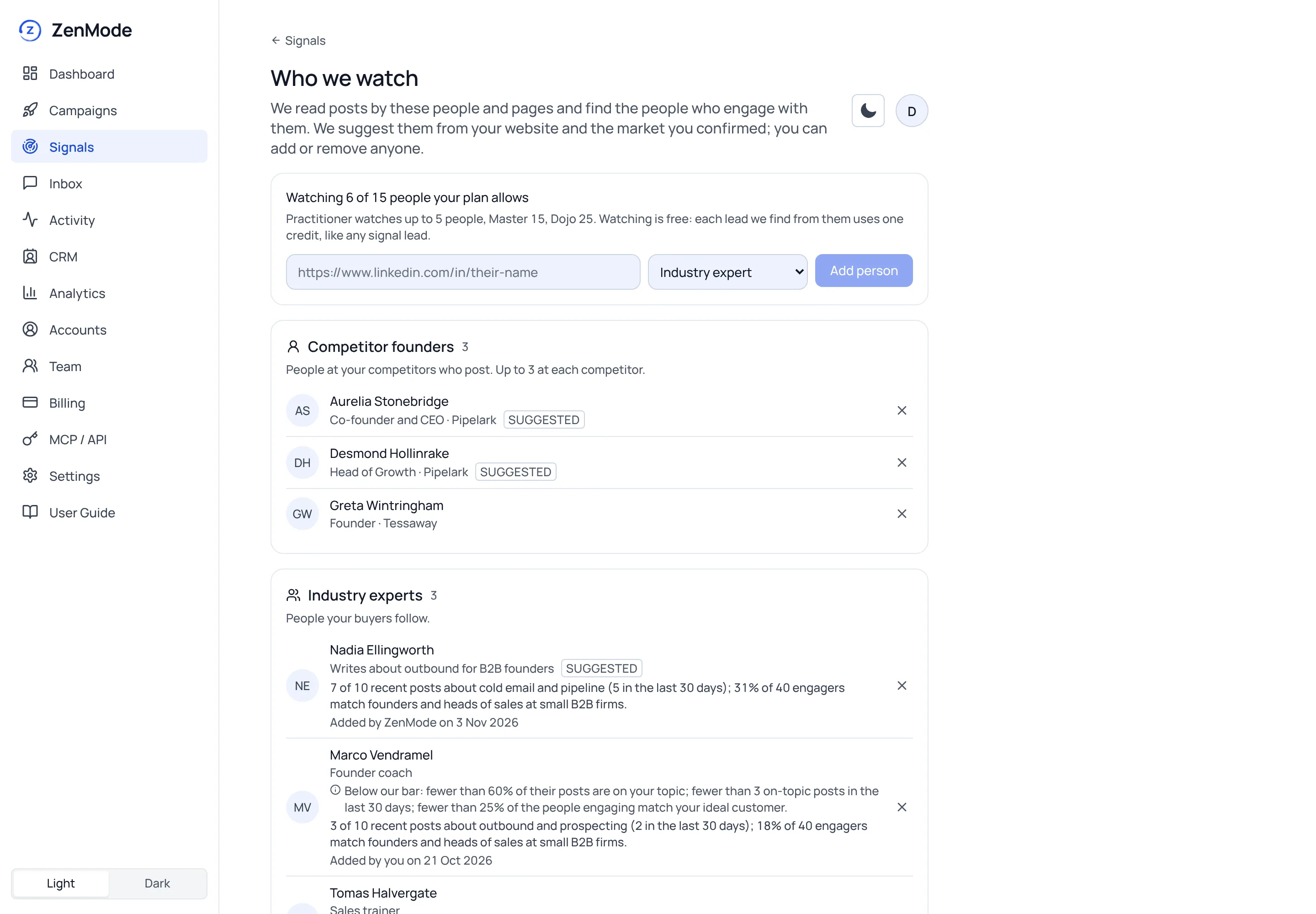
In Sources, open Industry experts → Details. Paste a LinkedIn profile URL in Industry experts and choose Add. Check that the source is on. Review Leads from this signal for people it found, open the underlying post where available, and check the topic and buyer fit before adding anyone.
Part 4
Find people talking about the problem you solve
Topics are an extra source I’d test. I look for the words buyers use when something breaks, when they need a recommendation or when they’re ready to switch. I don’t have a measured conversion rate for topics from this experiment.
- Problem awareness. Look for someone describing a job that’s taking too long or isn’t working.
- Requests for recommendations. Look for “what do you use for…” with enough detail to tell whether you can help.
- Alternatives and switching. Look for teams comparing tools or asking how to move from a current provider.
- Frustration with an existing solution. Look for a specific limitation, cost or bit of manual work the buyer wants to fix.
| Business | Category | Example search phrases |
|---|---|---|
| B2B SaaS | Problem awareness / alternatives | “We reconcile invoices by hand” / “Alternatives to [billing tool] for usage pricing” |
| Marketing or lead generation agency | Recommendations / frustration | “Recommend a B2B agency for mid-market SaaS” / “Our outbound agency sends volume but books no relevant calls” |
| Recruitment business | Problem awareness / recommendations | “We can’t fill senior platform roles” / “Who recruits Go engineers in the UK?” |
I check who’s speaking and what they’re asking for. “We’ve tried two tools and still do this in a spreadsheet” describes a problem the author’s team has. “Five tips to ditch spreadsheets” could be useful content from a consultant. Look for first-hand details, a request, a decision or a deadline before treating a match as a lead.
5. Find phrases buyers would actually write
Topic and keyword research
My product is [product description]. Our customers typically struggle with [problems]. Generate 30 natural phrases someone might write in a LinkedIn post when experiencing these problems, asking for recommendations, comparing solutions or looking to switch providers. Rank the phrases by how specifically they relate to a potential purchase. Exclude broad motivational and educational terms.
6. Reply to someone who described the problem
Example outreach message
Hey [first name], saw your post about [specific problem]. Are you still looking for a way to handle it? We help [target audience] with [outcome]. Happy to share how we approach it if that would help.
Now do it in ZenMode
Open Sources → Your topics → Details. Enter a specific topic in Topics and choose Add. Switch the source on if needed. Signals searches recent LinkedIn posts on those topics and looks for people engaging with them. Review Leads from this signal and read the post before deciding whether to reach out.
Part 5
Build your signal-based outreach campaigns
I’d set up four small campaigns and give each prospect one home. Keeping sources separate makes it much easier to see whether a good week came from the list or the message.
- Normal outreach baseline
- Competitor followers
- Industry expert engagement
- Topic signals
Keep the profile, offer, connection request, messages and follow-up timing consistent where practical. Match the broad buyer criteria and compare cohorts with similar time to respond. If only page engagement is available, label that campaign Competitor page engagement so it’s clear what you actually tested.
Deduplicate by LinkedIn profile URL across the four lists, your CRM and active campaigns. If someone has several relevant signals, assign them to the strongest one before launch and note the others. Keep existing customers and opt-outs out of every list. Follow LinkedIn’s applicable rules and your campaign limits. Stop the sequence when someone replies or asks you to stop.
The copyable sequence below contains suggested templates. It’s separate from the messages I used in the experiment. Fill in the brackets, check that the offer is accurate, and use the same version across the first comparison.
First
- Who goes here
- Strong ICP fit and recent, problem-specific activity
- What I do
- Review the evidence and add to the relevant campaign.
Review
- Who goes here
- Strong ICP fit with an older or ambiguous signal
- What I do
- Read the post or profile for context. Use the baseline if there’s no clear signal.
Skip
- Who goes here
- Weak ICP fit, excluded or opted out
- What I do
- Leave out, even if the person has several signals.
7. Copy the four-message sequence
Suggested templates
Connection request
Hi [first name], I work with [type of team] on [problem]. Thought it’d be good to connect.

First message after acceptance
Thanks for connecting, [first name]. How are you handling [process] at the moment? We help [type of team] get [outcome], so I’m curious whether it’s on your list.

Follow-up
Quick follow-up. If [pain point] is taking up time, I can send a short example of how we handle it. Would that help?

Final soft follow-up
I’ll leave it there for now. If [problem] comes up later, happy to share what’s worked for us.
Now do it in ZenMode
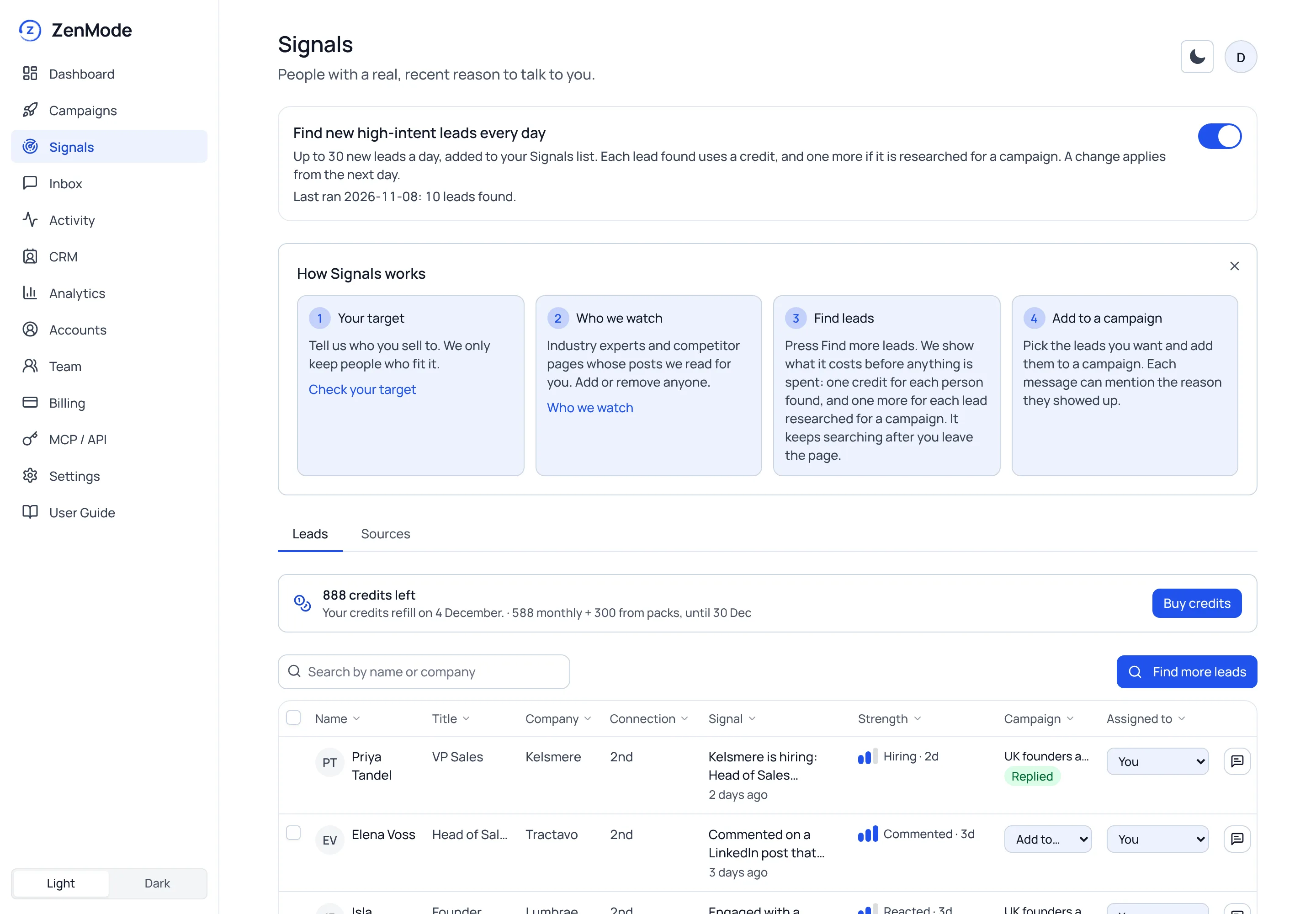
Open Signals → Leads and check the signal, its date and the strength bars. Open the lead to review the evidence and fit. Select qualified leads and use Add to campaign to put them in the right list. Adding a lead here doesn’t send a message. Review campaign settings before it starts reaching out.
Part 6
Measure, optimise and scale
I care far more about how many people expressed real interest than how many leads turned up. A source can fill the list and still produce very few conversations worth following up.
| Metric | How I calculate it |
|---|---|
| Connection acceptance rate | Accepted connections ÷ invitations |
| Reply rate | People who replied ÷ accepted connections |
| Interested reply rate | People who expressed interest ÷ accepted connections |
| End-to-end interested conversion rate | People who expressed interest ÷ invitations |
| Meeting conversion rate | People who booked a meeting ÷ accepted connections |
Multiply each result by 100 to express it as a percentage. If the denominator is zero, leave the rate blank. Count each person once per metric and use one definition of a booked meeting across all campaigns.
I mark a reply as interested when someone asks for a demo, requests pricing or details because it might help, or agrees to explore the offer. A polite thank-you, a decline or a vague “maybe later” stays in replies. If a response is ambiguous, keep it pending until the prospect clarifies.
| Source | Invitations | Accepted connections | Replies | Interested prospects | Meetings |
|---|---|---|---|---|---|
| Normal outreach baseline | — | — | — | — | — |
| Competitor followers | — | — | — | — | — |
| Industry expert engagement | — | — | — | — | — |
| Topic signals | — | — | — | — | — |
Compare the same invitation cohorts at the same age. If one campaign only started yesterday, give it the same follow-up window as the rest before drawing conclusions. Keep the counts beside the rates so a handful of replies doesn’t look more conclusive than it is.
Why my weakest sources might have struggled
Same-role and new-role leads came in at close to zero interested replies despite their volume. Same role could mostly be an ICP match. New starters might be settling in or working through other priorities. Funding may have gone to something unrelated, and hiring for sales could mean an internal build. Reactions to my own posts might have reflected interest in the content alone. Funding, hiring and own-post reactions produced no interested replies in this comparison. These are hypotheses, and I’d test them with a more specific offer before writing off a source.
| Metric | Normal outreach | Signal-based outreach |
|---|---|---|
| Invitations | 1,000 | 1,000 |
| Accepted | 310 | 320 |
| Replies | 43 | 93 |
| Interested prospects | 5 | 21 |
1,000 invitations is a comparison unit. Use limits appropriate for your account and follow LinkedIn’s rules. The estimate multiplies invitations by the acceptance rate and then by the relevant rate among accepted connections.
Estimate interested prospects
Illustrative projection using my observed campaign rates. Your results will vary.
Potential difference: 16.48 more interested prospects
Your 30-day implementation plan
- Week 1. Define your ICP, build your competitor and expert watchlists, and configure the first sources.
- Week 2. Review the leads you find and launch separate campaigns.
- Week 3. Review early results and classify interested replies using the same rule in every campaign.
- Week 4. Compare campaigns that have had time to mature. Remove consistently weak sources and expand the strongest.
Some campaigns will need longer than 30 days to accumulate a meaningful sample. I’d wait for enough attempts and a full reply window before switching a source off. Once a winner holds up, I’d add similar sources in small batches and keep the baseline running.
Now do it in ZenMode
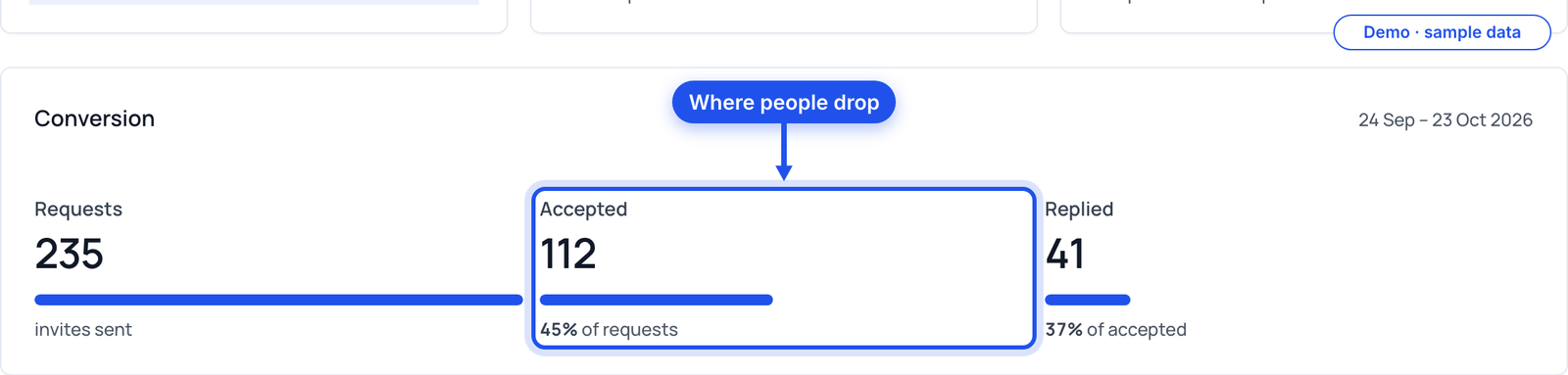
Use campaign Analytics to review invitations, acceptances and replies over comparable date ranges. Add your own interested and meeting counts to the scorecard. Then go back to Sources, switch off consistently weak signal types or remove low-relevance competitors, experts or topics, and run the next comparison.
Print this
The 30-day LinkedIn intent signals checklist
- Define your ICP and exclusions before looking at the signals.
- Build and rank competitor and industry expert watchlists.
- Write topic phrases, then test them against actual posts.
- Set up separate campaigns and deduplicate prospects.
- Track invites, acceptances, replies, interested prospects and meetings every week.
- Use the 30-day plan and research summary to decide what to keep testing.
Once you’ve picked your sources, use these prompts to research prospects and refine your outreach in the Claude prospecting prompts Blueprint.
Frequently asked questions
What is a LinkedIn intent signal?
It’s observable activity that gives you a reason to look closer. A buyer asking for a tool recommendation may be receptive. A signal is a clue, and the context tells you how much weight to give it.
What are the best LinkedIn intent signals?
Competitor followers and relevant industry expert engagement led my campaigns at 8.1% and 6.1% interested among accepted connections. Start with the signals closest to the problem you solve and compare them with your own baseline.
What is the difference between ICP fit and buying intent?
ICP fit tells me who could buy based on their role and company. Buying intent is about whether they’re considering a purchase. Behaviour helps me decide who might be receptive now, while a conversation can tell me whether they’re actually looking.
How do I find competitor followers?
Start with verified competitor pages and look for affiliations that people make visible themselves. A competitor’s full follower list generally isn’t available to an ordinary LinkedIn user. Use relevant public page engagement as a separate source and record the evidence you actually saw.
How do I find people engaging with LinkedIn influencers?
Choose experts whose posts reach your buyers, open recent posts about your problem, and review the visible comments and reactions. Check each person against your ICP and keep a link to the post.
Do I need LinkedIn Sales Navigator?
You can do the public-post research in this playbook without Sales Navigator. It can help narrow the list by role or company. Check access requirements for whichever prospecting workflow you use.
Do I need to personalise every outreach message?
I kept the wording steady in my experiment. Start with a clear question the whole segment can answer. If you refer to a post or a comment, read it and make sure it’s relevant to the person.
How many intent signals should I monitor?
I’d start with two strong sources and one topic test. Keep the list small enough to review each week, and expand when you can explain which sources are generating interested replies.
Why did funding and hiring signals underperform?
In my campaigns neither produced interested replies. A funding round can lead to many different priorities, and a sales hire may mean the team plans to handle the work internally. Those are hypotheses I’d test against a more specific offer.
Will signal-based outreach guarantee 4x more leads?
The roughly fourfold lift was in the share of accepted connections who said they were interested in my campaigns. Measure your own baseline and compare campaigns with similar time to mature.
How can I automate signal-based prospecting?
Use a tool to monitor relevant sources and bring the leads into one place for review. In ZenMode I use Sources to set what it watches, then Leads to review and add qualified prospects to campaigns. Signals is included on every plan except Novice. Follow LinkedIn’s applicable rules and honour opt-outs.
Find out who’s showing intent in your market.
Instead of spending hours checking competitors, industry experts and relevant conversations, let ZenMode find the signals for you.
Discover people already paying attention to your market, review their signals and turn the right prospects into LinkedIn outreach campaigns.
Same messages. Better targeting. More opportunities.
Start free trial