Free guide · templates and prompts · 6 parts
Write a LinkedIn note and follow-ups that give people a reason to reply
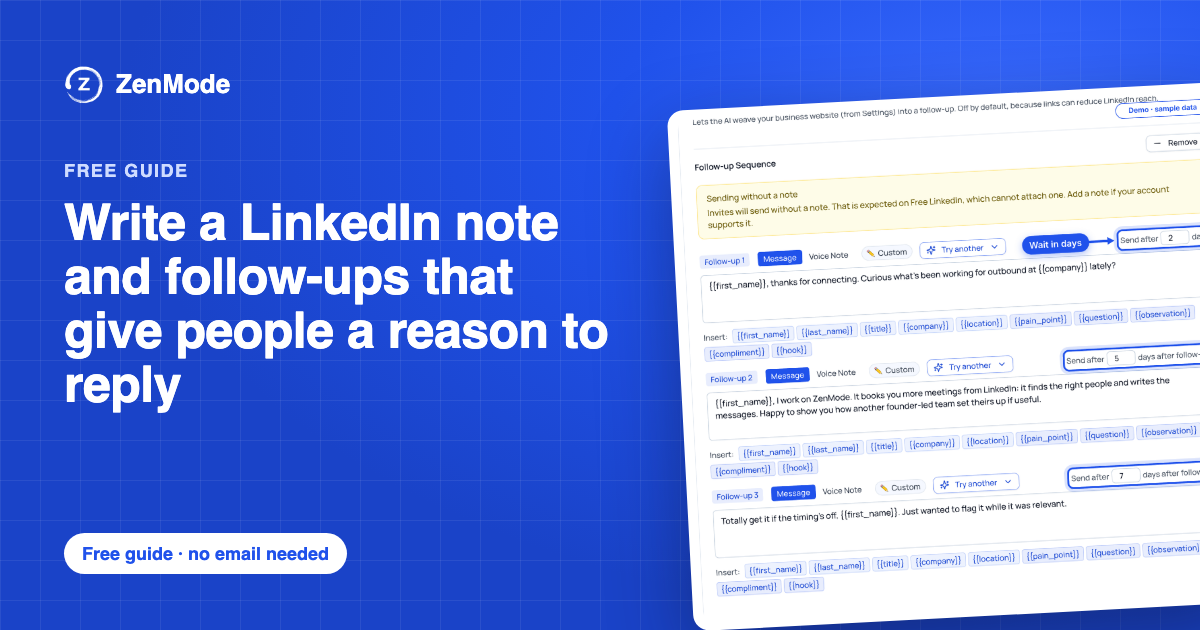
A note and three follow-ups, written for five kinds of buyer, a bank of reasons to write again, the things to leave out, and a prompt for every message. Fill in the brackets, paste them into a campaign and check what goes out before it does.
Free. The whole guide is on this page; no email needed.

I'm Jonathan. I build ZenMode: I write the code, answer the support emails, and my own outreach runs through it. The blank message box is where most founders stall. This guide gives every message one job, five sequences to start from and a prompt for each, so you edit a draft instead of staring at an empty box. Questions: hello@zen-mode.io. I read everything.
Jonathan Lis · founder, ZenMode
Who it's for
Founders, agencies and small sales teams who know who to contact and stall at the blank message box.
You leave with
A four-message sequence for your buyer, written in your words, and a checklist to test any message against.
What's inside
How it was put together
Every example is fictional and written for this guide. LinkedIn's note limit is quoted from its Help pages. The shape of the sequence and the reason bank are our rules of thumb, labelled as ours. Screenshots are ZenMode's demo with sample data. This guide promises no reply rate.
Part 1
Decide who writes the messages
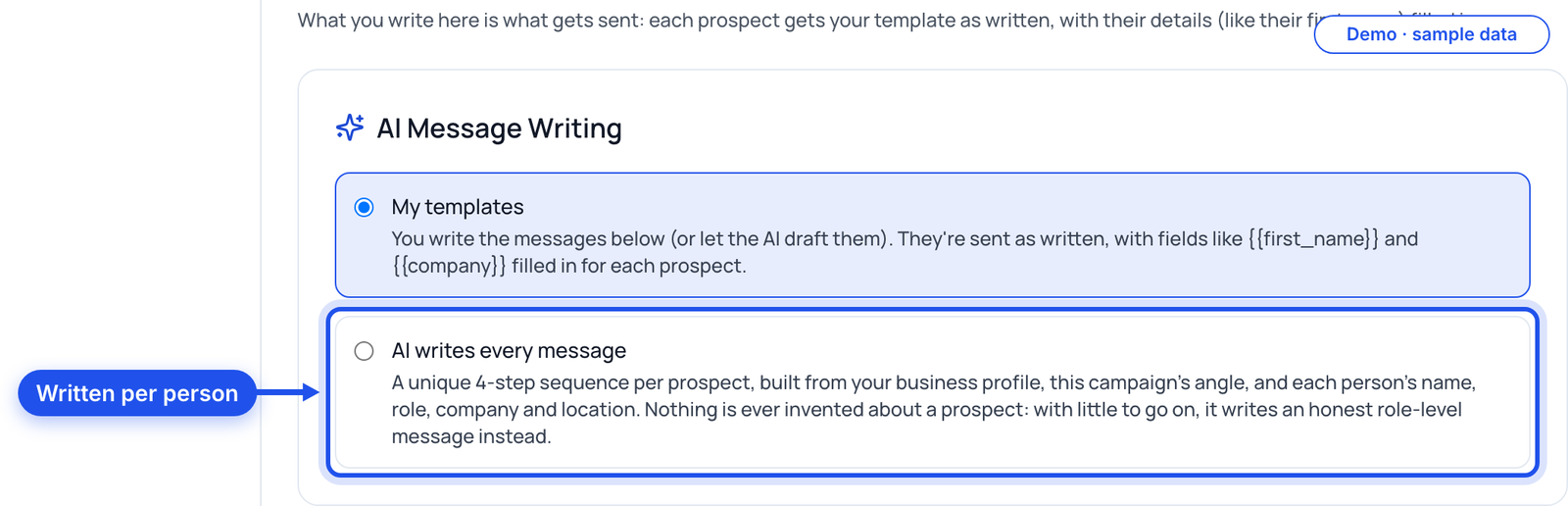
There are two honest ways to run a sequence. You write it once and everyone gets your words with their details filled in, or the AI writes each person's messages from what it knows about them. Pick one before you write anything, because it changes what you write.
| Your templates | AI writes every message |
|---|---|
| You write the note and follow-ups once | You write the problem you solve and what changes; the AI writes each person's messages |
| Everyone gets your text, with fields like their first name filled in | Each person gets a separate note and follow-ups, from their name, role, company and location |
| Best when you know exactly what you want to say | Best when your buyers vary and you want each message to start from them |
Now do it in ZenMode
On the campaign page, choose My templates or AI writes every message. AI writes every message is for Connect and Nurture campaigns that find people from a search, on a plan with AI, and invents nothing about a person. Those campaigns can hold each message for your review before it sends.
Part 2
Give each message one job
A sequence fails when every message says the same thing louder. Give each one a different job and the person always has a new reason to answer.
| Message | Its job | Length |
|---|---|---|
| Connection note | A reason to accept: one true detail, why you are writing, no ask | Under LinkedIn's 200 characters |
| Follow-up 1 | An easy question about how they do it today | One or two lines |
| Follow-up 2 | Something useful, with no strings | Two to four lines |
| Follow-up 3 | A small, clear ask with an easy way out | One or two lines |
Note
A reason to accept
One true detail, why you're writing, no ask. Under 200 characters.
Follow-up 1
An easy question
How do they handle it today? Answerable in one line.
Follow-up 2
Something useful
A checklist, a teardown, a sourced number. No strings.
Follow-up 3
A small ask
15 minutes, with an easy way out.
Now do it in ZenMode
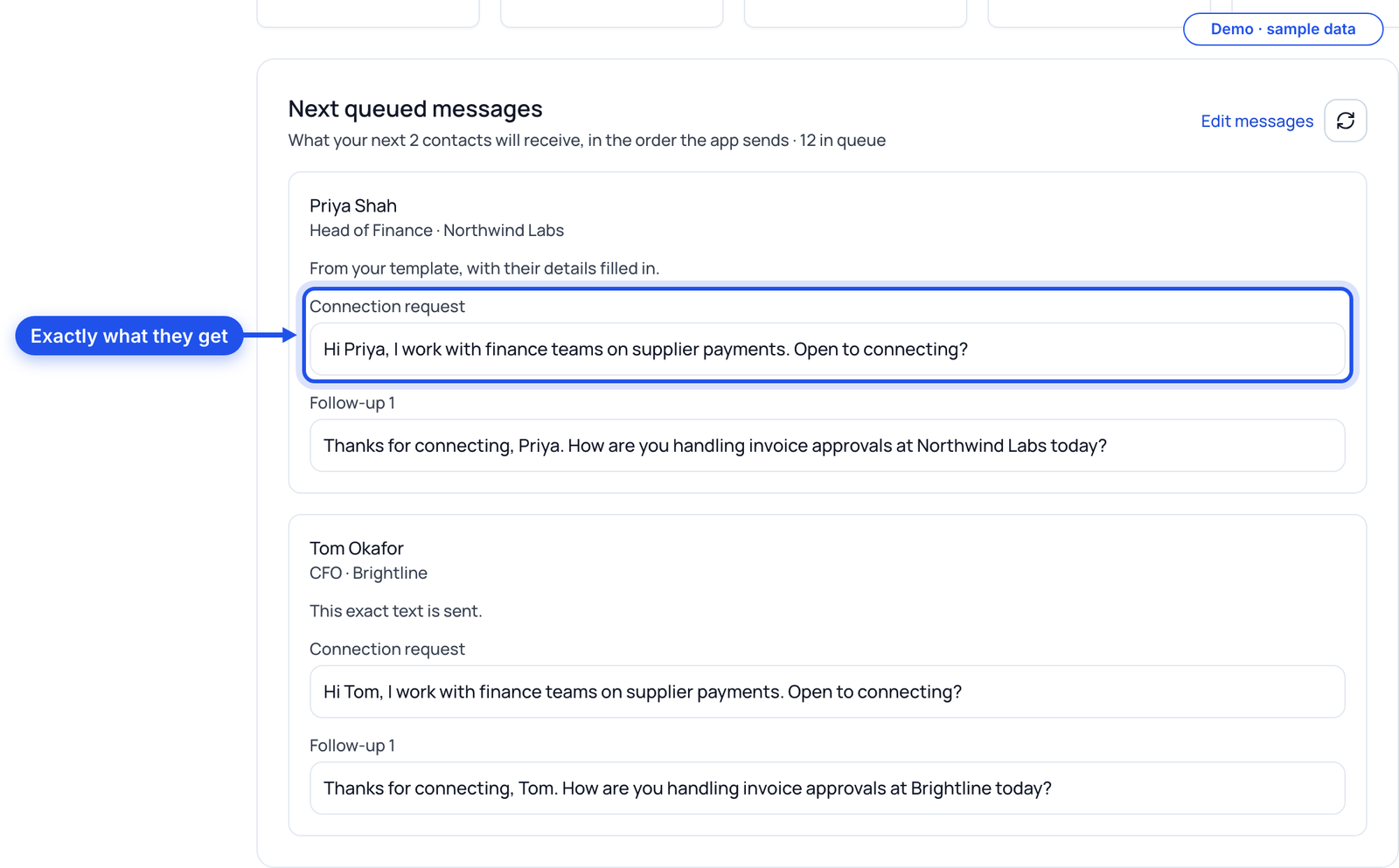
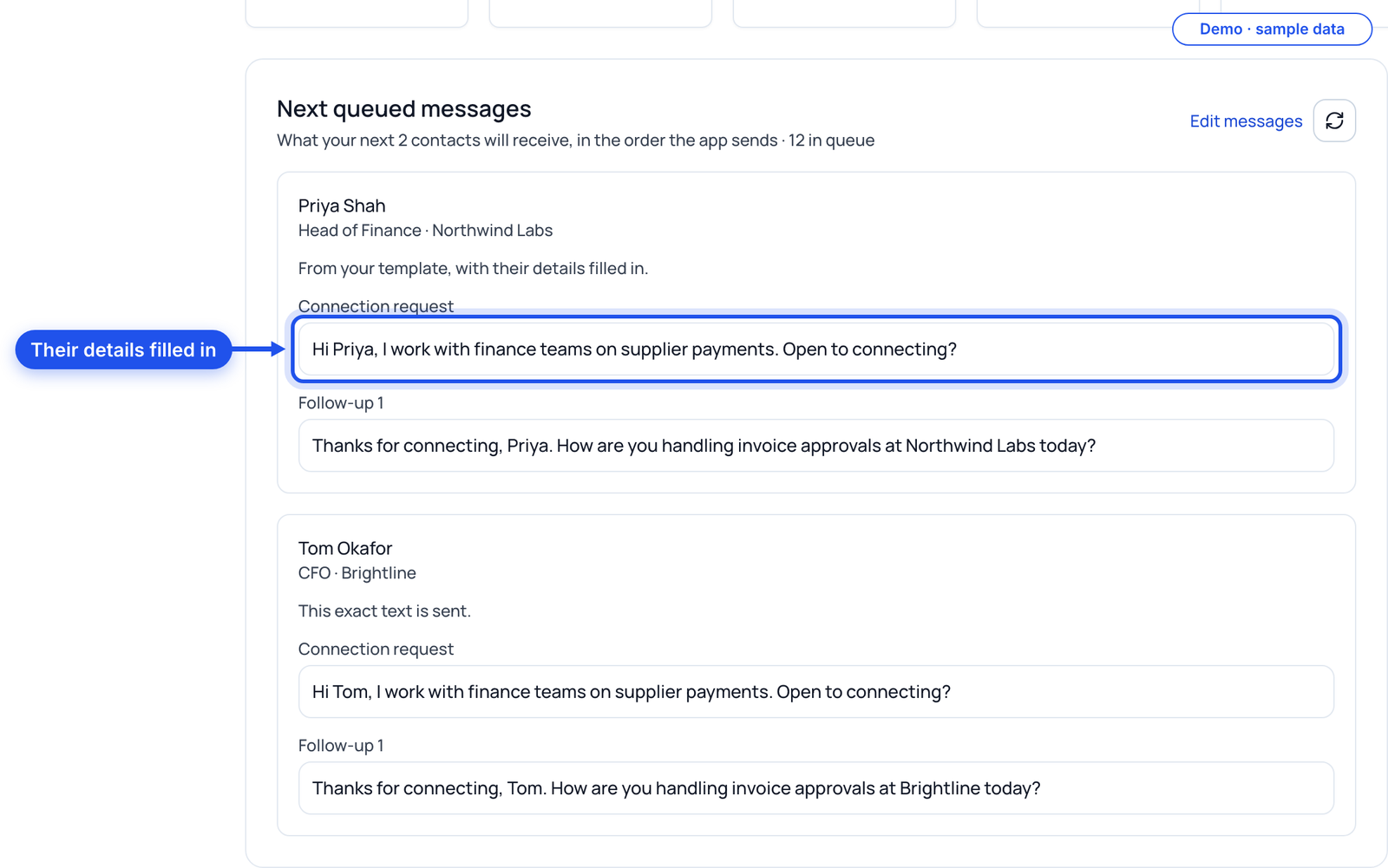
Write the note and each follow-up in its own box on the campaign. Next queued messages then shows exactly what the next people will receive, with their details filled in, before anything sends.
Part 3
Start from one of five sequences
Pick the buyer closest to yours and rewrite the brackets. Keep the job of each message; change every word you would not say out loud.
Note: Hi {{first_name}}, I work with founders at [kind of company] on [problem]. Would be good to be connected. 1: Thanks for connecting. How do you handle [problem] at {{company}} today? 2: We wrote up [useful thing] from working with [similar companies]. Want it? 3: Worth 15 minutes to compare notes? If it's not on your plate, no problem.
Note: Hi {{first_name}}, I spend my time on how sales teams at [kind of company] [do the thing]. Happy to connect. 1: Thanks for accepting. Where does [problem] show up for your team: [stage A] or [stage B]? 2: Here is the [checklist / teardown] we use for [problem]. Free, no call needed. 3: If it's useful, I can show you how [similar team] set it up in 15 minutes. If not, I'll leave it there.
Note: Hi {{first_name}}, I work with finance teams at [kind of company] on [process]. Would be good to be connected. 1: How is [process] handled at {{company}} right now: email, a spreadsheet or a tool? 2: A short write-up of where [process] usually stalls at month end: [link or offer to send]. 3: Worth a quick call to see if any of it applies? If not, thanks for reading.
Note: Hi {{first_name}}, I work with people teams at [kind of company] on [problem]. Happy to connect. 1: Thanks for connecting. Is [problem] something you own, or does it sit with [other team]? 2: We put together [useful thing] for teams in your spot. Want a copy? 3: Open to 15 minutes on it? If the timing's off, just say and I won't follow up.
Note: Hi {{first_name}}, I work with agency owners on [problem]. Would be good to be connected. 1: Thanks for accepting. How do you handle [problem] across clients today? 2: Here's how [similar agency] [does the thing], in five steps. Happy to send it. 3: Worth comparing notes for 15 minutes? If not, all good.
Now do it in ZenMode
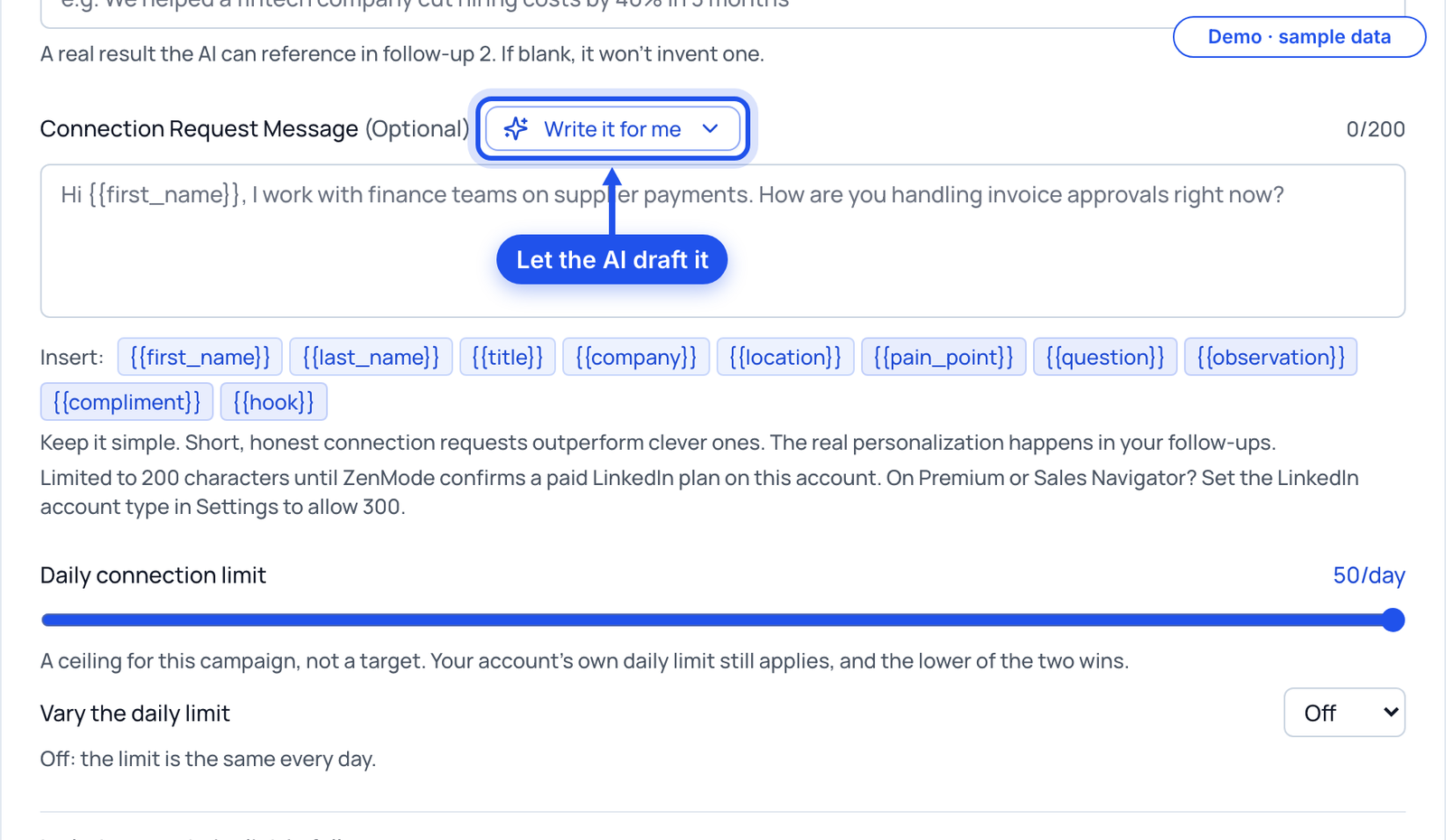
Paste your version into the campaign's boxes and use the fields ZenMode fills in for each person, like {{first_name}} and {{company}}. Or let the AI draft the note and up to 3 follow-ups into the boxes for you to edit.
Part 4
Keep a bank of reasons to write again
A follow-up earns its place when it gives the person something new. Keep this list next to you and never send the same reason twice.
| Reason | Sounds like (fictional) |
|---|---|
| How they do it today | How is [process] handled at {{company}} right now? |
| Something you made | We wrote up the checklist we use for [problem]. Want it? |
| A public number, with its source | [Source] found [finding]. Does that match what you see? |
| A change at their company | Saw you opened [office / team]. Does that change [process]? |
| A peer's approach | A team like yours does [thing] this way. Happy to share how. |
| A short answer to a common question | People usually ask [question]. The short answer is [answer]. |
| A small ask | Worth 15 minutes to compare notes? |
| The easy out | If this isn't on your plate, tell me and I'll stop here. |
Now do it in ZenMode
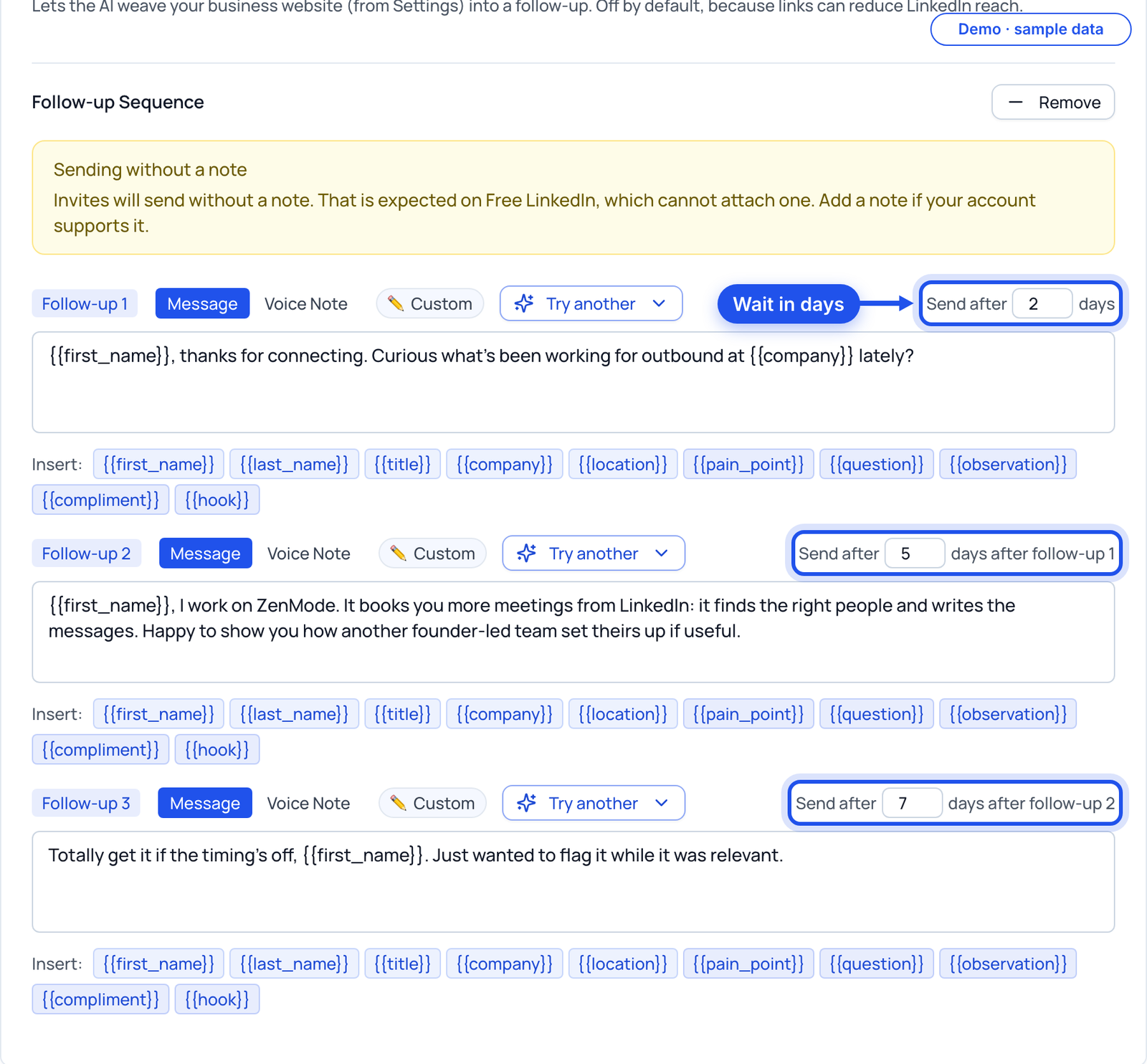
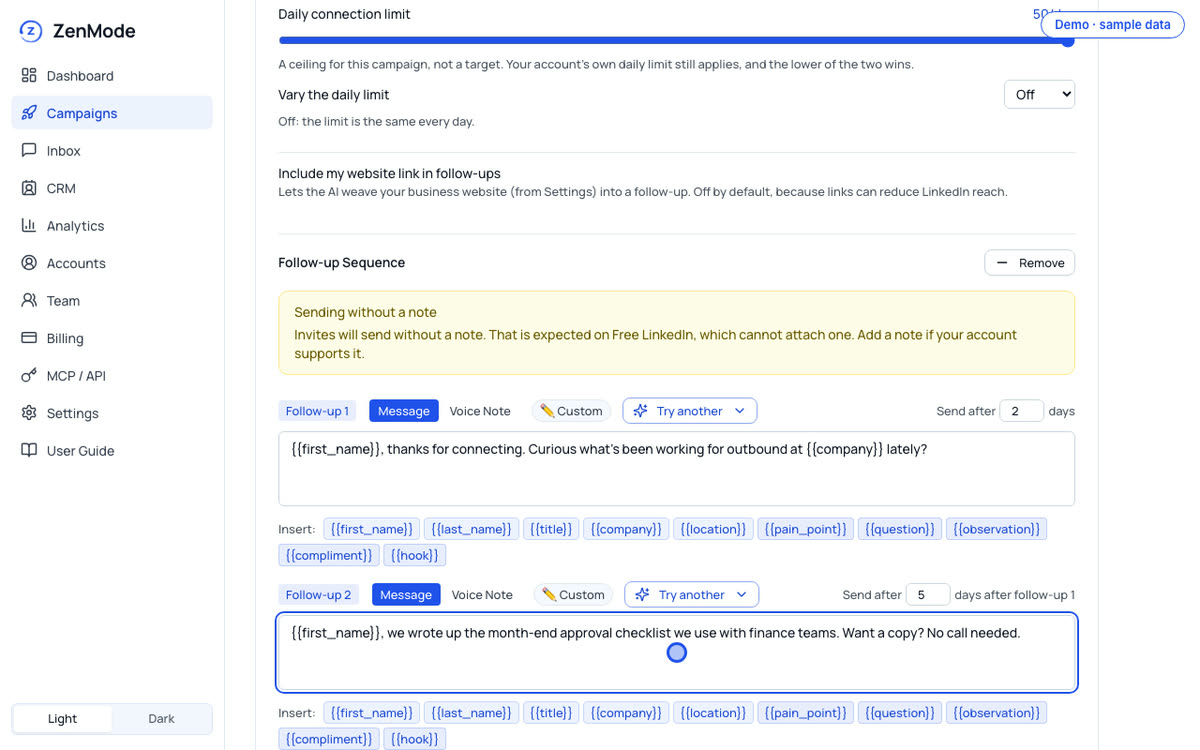
Give each follow-up a different reason and set its wait in days. Every follow-up has its own box and its own wait.
Part 5
Leave these out
Most messages that get ignored have the same few things in them. Read each of yours against this list before it goes in a campaign.
| Leave out | Why | Instead |
|---|---|---|
| A pitch in the note | They have not accepted yet; there is nothing to answer | One detail, one reason, no ask |
| A compliment you could send anyone | "Loved your post" with no post named reads as a template | Name the actual thing, or leave it out |
| "Just bumping this" | It asks for attention and gives nothing | A new reason from the bank |
| Three questions at once | It makes answering hard | One question per message |
| Numbers you cannot source | The first person who asks ends the conversation | A public figure with its source, or none |
Now do it in ZenMode
Open Next queued messages and read what the next people will actually receive, with their details filled in. Fix anything that fails the list before the campaign sends it.
Part 6
Draft every message with a prompt
A prompt with the right limits gives you a first draft in seconds. You still choose the words that go out.
Here is my buyer: [job title, kind of company]. Here is the problem I solve: [one line]. Here is what changes when it is solved: [one line].
Write a LinkedIn sequence: a connection note under 200 characters with one real detail and no ask; follow-up 1, one easy question about how they handle the problem today; follow-up 2, one useful thing with no strings; follow-up 3, a small ask with an easy way out. Use {{first_name}} and {{company}} where a name or company goes. No compliments, no links, no numbers I did not give you.
Now do it in ZenMode
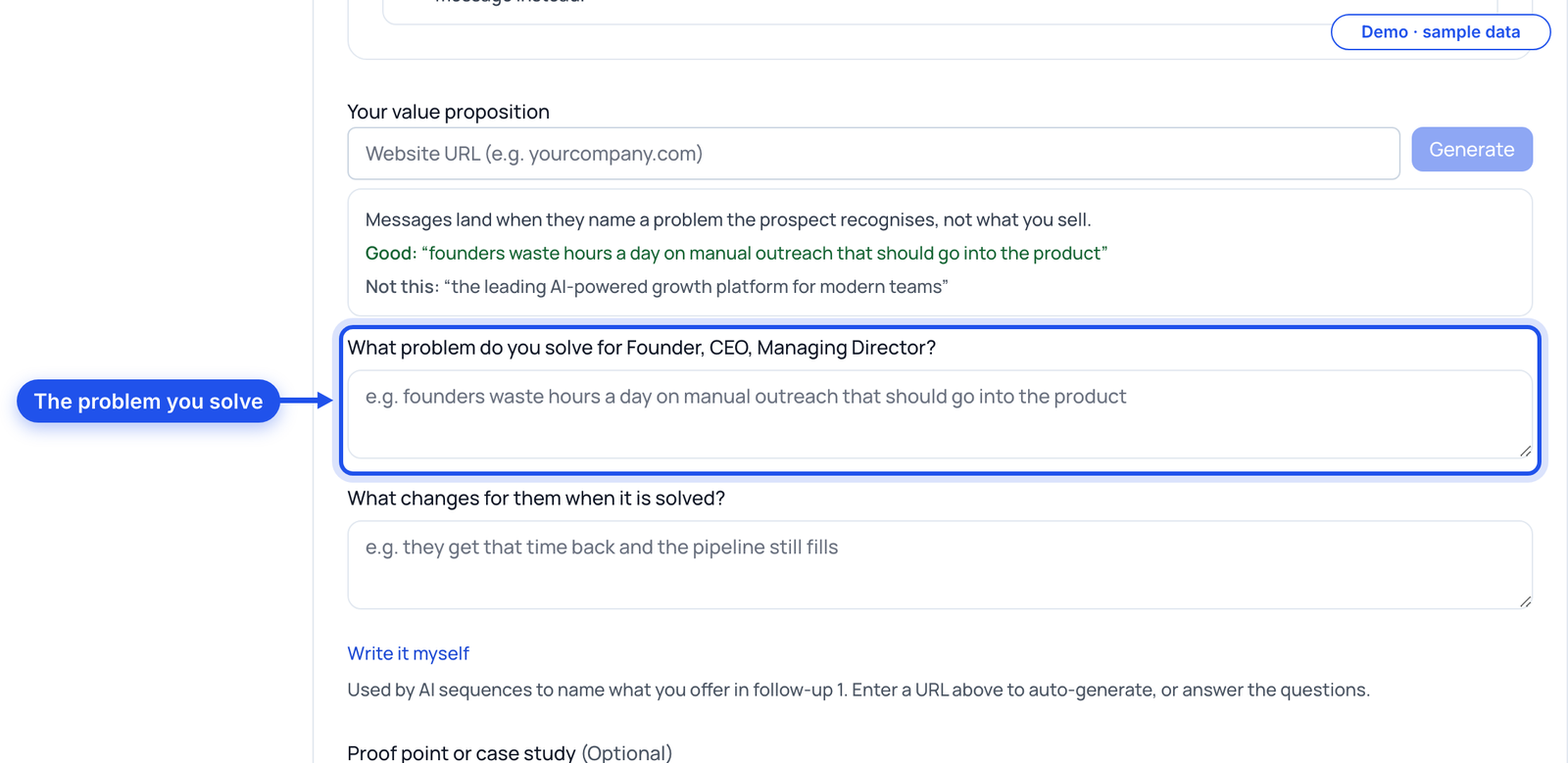
Paste the draft into the campaign's boxes, or fill in your value proposition and choose AI writes every message, so the AI writes each person's sequence from your business details and their profile.
Print this
Before a message goes in a campaign
- The note is under 200 characters
- The note names one real detail and asks for nothing
- Each follow-up has its own reason
- One question per message, at most
- No compliment you could send anyone
- No number without a source
- No "just bumping this"
- The last follow-up gives an easy way out
- Read the next queued messages before they send
Do this guide in ZenMode
ZenMode books you more meetings from LinkedIn: it finds the right people, writes the messages, and keeps every reply in one inbox. It is a desktop app for Mac and Windows that sends while the app is open. Practitioner, Master and Dojo include a 14-day free trial, first time only.
Start your 14-day free trial